 Termdock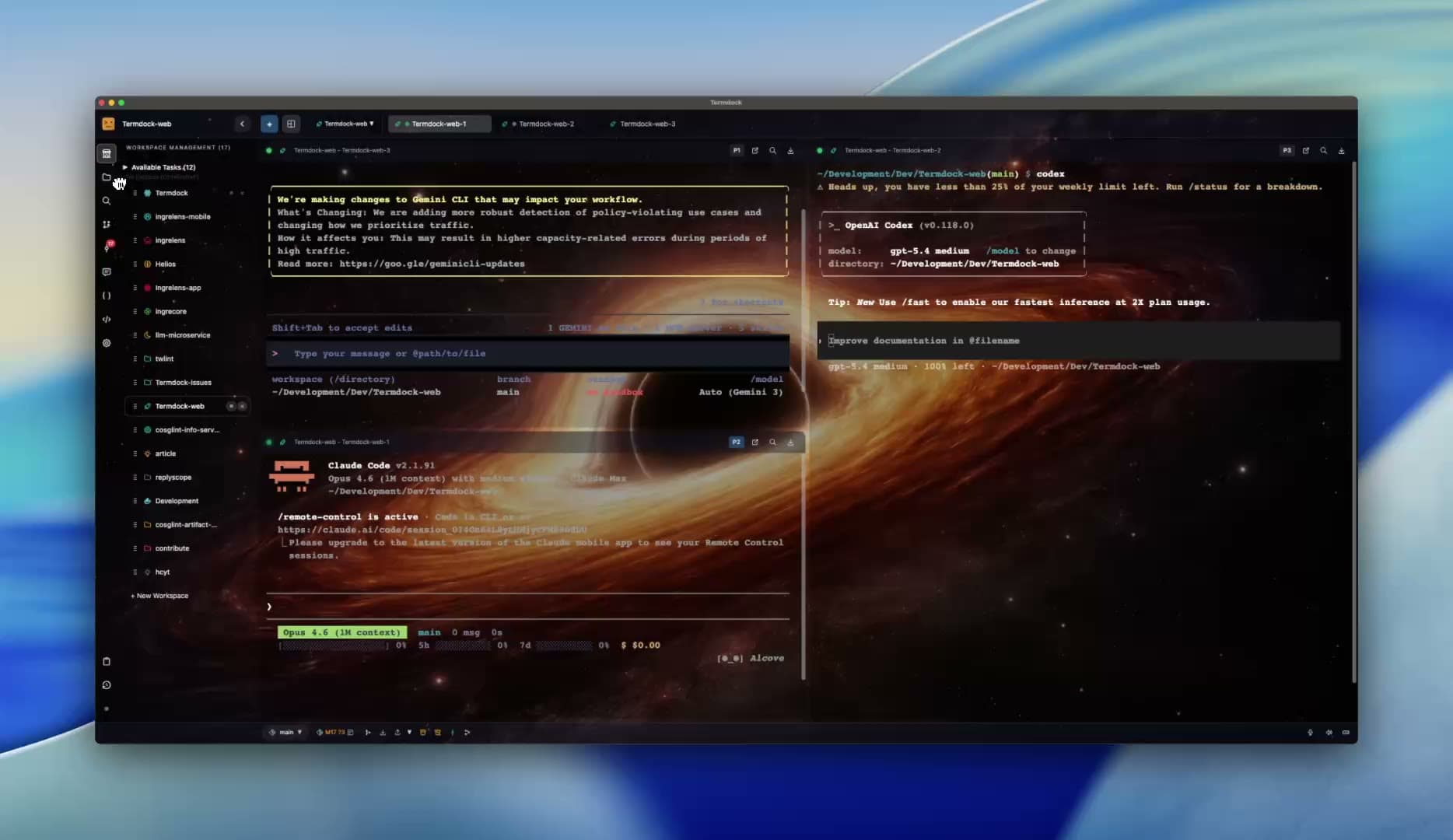
01 / Agent-to-agent
Let agents hand off the work.
Claude Code implements, Codex reviews. Agents can open terminals, send each other tasks and follow the results.
See how it worksA connected workspace for your AI team
Connect Claude Code, Codex and your other agents across computers. Let them hand off tasks, keep terminals running, and pick up the work from your phone.
Free · macOS & Windows · Bring your own AI CLIs and accounts
Connected, not just side by side
01 / Agent-to-agent
Claude Code implements, Codex reviews. Agents can open terminals, send each other tasks and follow the results.
See how it works02 / Connected machines
Connect your laptop and other computers. Run agents where the project lives and coordinate their terminals from one workspace.
See how it works03 / Phone control
Switch terminals, type instructions and respond to your agents in a phone browser. No companion app required.
See how it worksThe work outlives the window
Keep local and peer terminals running in the background, then reconnect to the work. Dispatch queues, schedules and workflows organize the next steps. Git review and Workstream give you a place to inspect results and answer requests.
Terminal persistence is separate from automation: queues and schedules need the app, and the host must stay running.
See how requests reach youCompare with Orca, Herdr and othersTermdock is free to download and use. Install and sign in to AI tools such as Claude Code and Codex separately. Their subscriptions and API usage are billed by those providers.
Pair two Termdock installations and mount a shared workspace. Create terminals, run agents, read output and send input on the other computer. Processes and files stay on that machine. SSH workspaces are a separate connection option.
Yes. Pair a phone browser to switch terminals, type commands, send messages and use keys such as Esc and Ctrl+C. The host must remain running and reachable. For access away from your LAN, set up a route such as Tailscale or ZeroTier.
Broker-held local and peer terminals can keep running, and reconnect when you reopen the app. The host must not shut down or sign out. Closing a terminal tab differs from quitting the app; SSH terminals still end with the app.
Start with the project in front of you
Download for free. Choose your installer, open a project, and run the AI CLIs you already have. Model usage and subscriptions are billed separately by your AI providers.
Latest release · Free download
macOS: open the DMG and drag to Applications. Windows: run the EXE installer. No Linux installer is currently available.
Installation help & troubleshooting